

Match video, ready for review
on web and iOS
Coaches need useful video without spending their day managing recordings. Our team built MatchCoach workflows that connect live streams, scheduled recordings, highlight detection, and clip sharing across web and iOS.
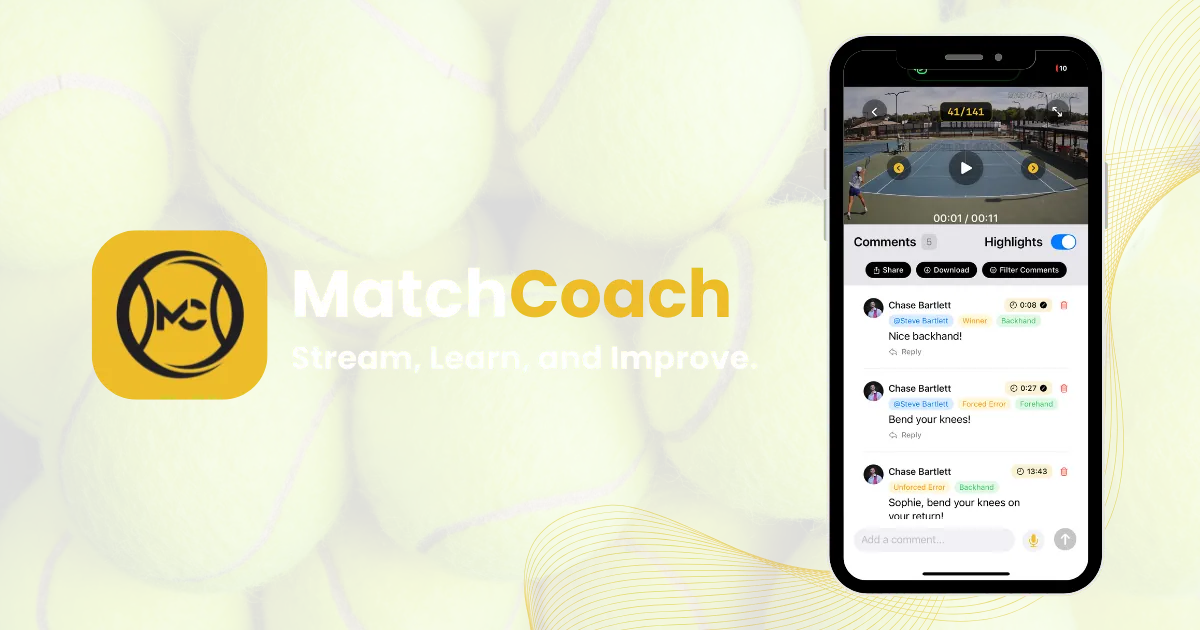
Overview
MatchCoach brings video capture and review together for athletic facilities. Chase founded the company, and Steve served as CTO; this project reflects their product-building experience. The platform connects streaming, recording, highlights, and review so coaches and players can find useful moments and share feedback. Web and iOS applications use the same video records, with tools for facility staff to manage cameras and access.
The Challenge
The platform needed to make existing camera footage useful to coaches and players. That meant connecting live viewing, recording, highlights, and sharing while giving facility staff a practical way to manage access and camera settings.
The work spanned existing IP cameras, concurrent streams, facility permissions, and video playback. Those parts needed to work together so a recording could move from the camera to review and sharing without a separate tool for each step.
Our Approach
The team connected the video workflow in stages, from camera intake and recording to review tools, automated highlights, and facility management.
1. Capture the footage
Built the streaming and recording services around existing camera feeds. Connected live playback and recording workflows before adding review and collaboration features.
2. Make video accessible
Built web and iOS applications with shared video records. Added account access, workspaces, and management tools so staff and members could find the footage available to them.
3. Find and share useful moments
Integrated computer vision for highlight detection alongside manual markers. Added scheduled recordings, clip exports, and annotations to support coaching review.
4. Support facility operations
Refined playback, camera settings, and administrative visibility. Added tools for managing streams, checking recordings, and tracking exports across facility workspaces.
Key Deliverables
Streaming and recording
- Live feeds from multiple cameras
- Copy-based recording workflows
- Playback on web and mobile
- Centrally managed camera settings
Highlights and review
- AI-assisted highlight detection
- Manual and wearable markers
- Comments, annotations, and favorites
- Selected moments passed to export
Web application
- Facility dashboard and administration
- Membership and access management
- Video playback with comments
- Downloads and export status
iOS application
- Live streams and video library
- Native video playback
- Account setup and sharing
- Access to shared video records
Facility administration
- Stream and recording controls
- Camera configuration
- Operational analytics
- Restricted administrator access
Clip exports
- Queued video processing
- Selected clips with branding overlays
- Download links for completed exports
- Progress and status tracking
What the system makes possible
Camera footage available through web and mobile
Scheduled and on-demand capture in one workflow
Comments and annotations alongside video playback
AI highlights and manual markers identify moments
Clip exports support feedback and distribution
Facility tools connect cameras, recordings, and access
Streaming, recordings, highlights, and clips share a connected workflow. Coaches can review footage on web or iOS, while facility staff manage cameras and access through dedicated tools. This work brings video capture and coaching review into the same product.
The useful part of video is what people can learn from it. MatchCoach connects capture, review, and sharing so coaches can spend more of the workflow on the moments they want to discuss.
Built around the coaching workflow
MatchCoach
Technologies Used
Is managing the tools slowing down the work?
If your team moves between disconnected tools to finish one job, we can help. We look at the full workflow and build the connections, automations, or software that make it easier to complete.